TL;DR: The best free Shopify themes come down to one choice, because all 23 free themes in the theme store are built on just two codebases: Dawn (13 themes) and Horizon (10 themes). Pick Dawn if you have no design background and want to launch this month, since its fixed sections leave fewer ways to go wrong. Pick Horizon if you have design confidence and want drag-and-drop blocks on the system Shopify now installs by default. Then choose the preset closest to your brand, because any preset can be restyled into any other in the same family.
What the theme store does not tell you
Browse the free themes page and you will see 23 options with different names, different previews, and no indication of how they relate to each other. It looks like 23 choices.
It is two.
Dawn was Shopify's default theme from 2021. Horizon replaced it, launching in May 2025 with the pitch of one system and ten new themes. Every other free theme on that page is a preset of one of those two, which means it ships the same code, the same sections, and the same settings as its siblings.
The practical consequence is large. If you install Sense and later decide you prefer Craft's look, you do not need to switch themes. Both are Dawn. Change the settings and you have Craft. The preview images differ because the demo content and default settings differ, not because the themes do.
This matters for beginners more than anyone, because most theme roundups present these as 15 or 20 distinct products with individual pros and cons. You can spend a full evening comparing themes that are the same theme.
Which free theme belongs to which family?
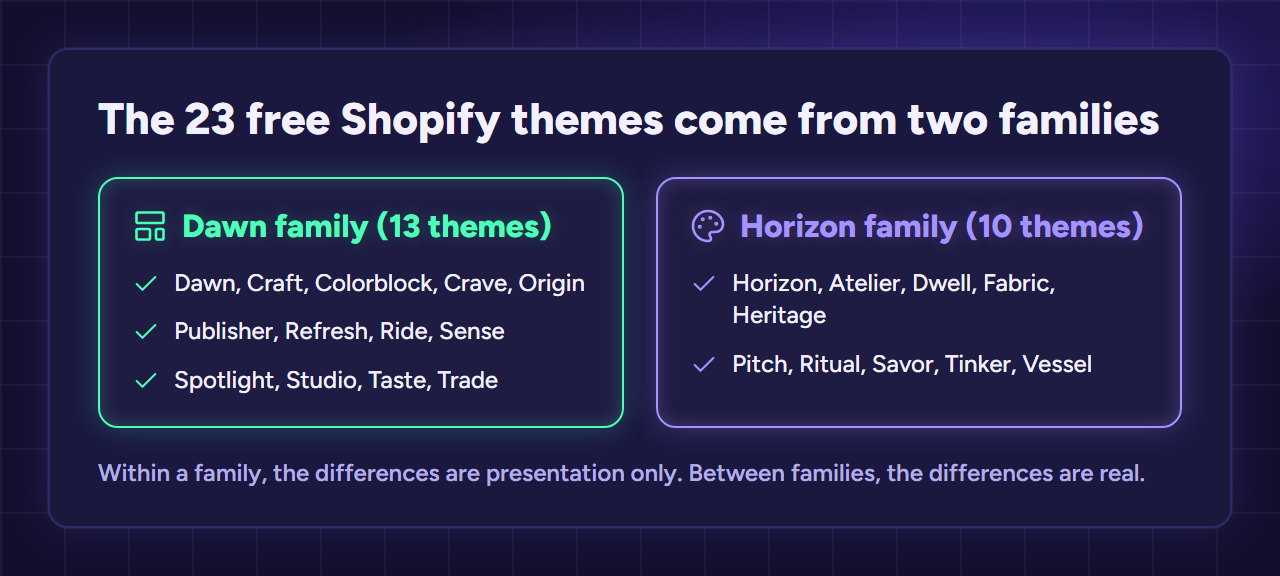
Each of the 23 free Shopify themes belongs to either the Dawn family (13 themes) or the Horizon family (10 themes), and the theme store itself does not publish this split. Here is the breakdown.
| Family | Themes |
|---|---|
| Dawn (13) | Dawn, Craft, Colorblock, Crave, Origin, Publisher, Refresh, Ride, Sense, Spotlight, Studio, Taste, Trade |
| Horizon (10) | Horizon, Atelier, Dwell, Fabric, Heritage, Pitch, Ritual, Savor, Tinker, Vessel |
Within a family, the differences are presentation only. Between families, the differences are real.
Dawn vs Horizon: the only decision that matters
Horizon uses theme blocks. Content comes in small units you can drag anywhere, rather than fixed full-width sections. It behaves more like a page builder, closer to something like Elementor than to a traditional Shopify theme. It also includes AI-assisted editing.
Dawn uses sections. Fewer options, arranged more rigidly. You build pages by stacking full-width sections and configuring each one.
Horizon is more capable. That is not the same as better for you.
More freedom means more ways to produce something that looks wrong. Dawn is opinionated, and its constraints do a lot of quiet design work for someone without a design background. You will get to a clean, functional store faster on Dawn precisely because it gives you fewer decisions.
Adoption tells you where the platform is going. Dawn has around 229,000 active stores behind it. Horizon reportedly reached 42% of new store installs within two weeks of launch and is now the default.
Both are free, both receive updates, and neither locks you into anything you cannot leave.
Side by side on what matters for a first build
Here is how they differ on the things that actually affect a first build.
| Dawn | Horizon | |
|---|---|---|
| Editing system | Fixed full-width sections | Nested drag-and-drop blocks |
| Learning curve | Shallow | Steeper |
| Design freedom | Limited on purpose | High |
| Transparent header | Not built in | Supported |
| AI-assisted editing | No | Yes |
| Large catalogs | Handles them predictably | Gets awkward past a few hundred products |
| Stability | Mature since 2021 | Still maturing |
| Setup speed | Faster | Slower |
Read that table with your own situation in mind rather than looking for a winner. A store with 40 products and an owner who has never built a site scores completely differently from a store with 800 products and a designer on hand.
The row that surprises beginners most is design freedom. It reads like a straightforward advantage for Horizon, and it is, if you know what you want the page to look like. If you do not, unlimited freedom mostly produces indecision and an inconsistent-looking store.
The best free Shopify themes for different starting points
Rather than ranking themes, match the theme to your situation.
No design background, want to launch this month. Dawn, or a Dawn preset close to your brand colors. Fewer decisions, faster to a finished store.
Some design confidence, building for the long term. Horizon. You will use the flexibility, and you are starting on the system Shopify is investing in.
Migrating an existing store you have already customized heavily. Stay where you are for now. A working store is worth more than a modern one, and a family switch means rebuilding pages.
Large catalog, several hundred products or more. Dawn currently handles scale more predictably. Reassess Horizon once it matures further.
Single product or a very small range. Either works. Sense and Spotlight on Dawn, or Fabric on Horizon, all start you close to a focused single-product layout.
The Horizon problem nobody mentions
Most roundups recommend Horizon enthusiastically and stop there. The theme store reviews tell a more complicated story.
As of September 2026, Horizon sat at roughly 35% positive across 204 theme store reviews. That is not a rounding error. Two complaints dominate: theme updates overwriting merchant customizations, and mobile bugs appearing after new versions ship.
This does not mean avoid Horizon. It is a young theme system and those are normal growing pains for a rewrite this large. But it does change how you should use it.
Duplicate before you customize. Make a copy of the theme, edit the copy, and keep the original untouched. If an update breaks something, you have a working version to fall back on.
Keep landing pages outside the theme where you can. Pages built in an app survive theme updates. Pages built with theme blocks do not always.
Do not update during a busy period. Wait until you have time to check the store afterwards.
None of this is exotic. It is the same discipline that experienced merchants apply to any theme. It just matters more on a system that is still moving.
Free Shopify themes for beginners: which to pick
For a first store, Dawn is the safer recommendation, and for a slightly unfashionable reason. You are not trying to build the best-looking store. You are trying to get a working store live so you can find out whether anything sells.
Dawn gets you there with fewer decisions and fewer ways to break something. Its rigidity is doing you a favor at this stage.
Choose Horizon instead if any of these apply. You have design confidence or a clear visual reference to work toward. You want the platform's current direction because you expect to build on this store for years. Or you specifically need layout flexibility that sections cannot give you, such as an unusual homepage or heavy content blocks.
Choose Dawn if you want to launch this week, you have no design background, or you are already comfortable in it from a previous store.
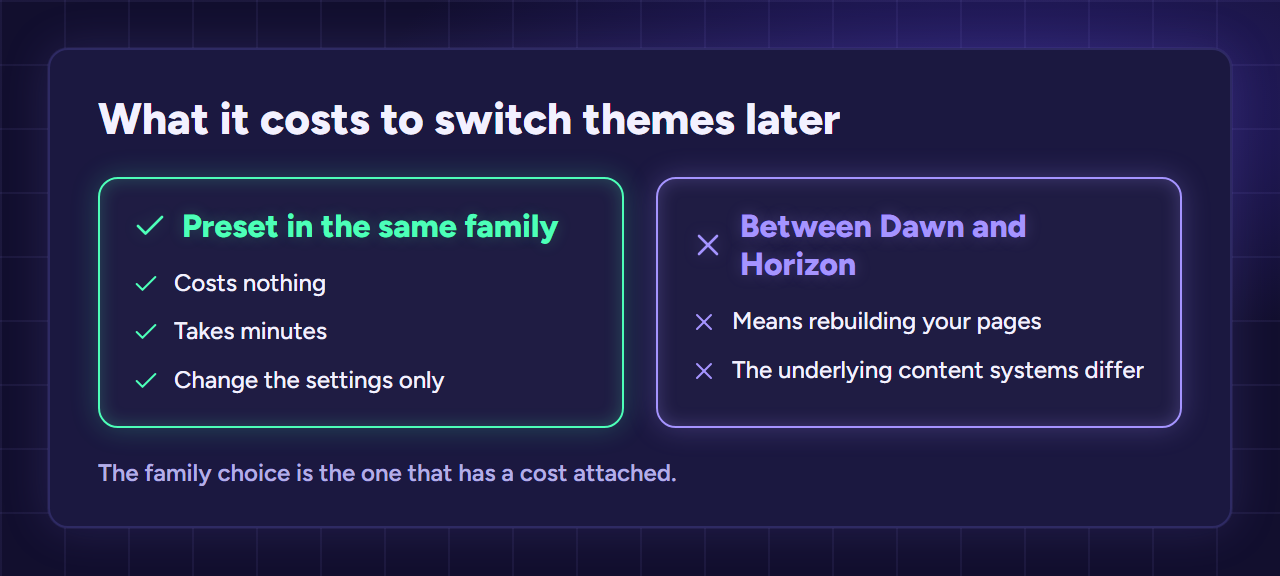
One thing to know before committing either way. Switching presets inside the same family costs nothing and takes minutes, while switching between Dawn and Horizon later means rebuilding your pages, because the underlying content systems differ. The family choice is the one that has a cost attached.
Picking a preset once you have chosen a family
After the family decision, the preset is purely aesthetic. Pick the one closest to your brand so you have less to change, then treat it as a starting point rather than a constraint.
| If your store is | Try | Family |
|---|---|---|
| General, minimal, unsure yet | Dawn or Horizon (the base) | Either |
| Bold and colorful | Colorblock, Crave | Dawn |
| Handmade, craft, home goods | Craft, Taste | Dawn |
| Health, beauty, wellness | Refresh, Sense | Dawn |
| Single hero product | Sense, Spotlight | Dawn |
| Content-heavy or editorial | Publisher, Studio | Dawn |
| B2B or wholesale | Trade | Dawn |
| Modern, image-led branding | Fabric, Ritual, Atelier | Horizon |
| Food, hospitality | Savor, Heritage | Horizon |
| Playful or experimental | Tinker, Pitch | Horizon |
Remember that every row within a family can be made to look like every other row in that family. This table saves you setup time, not capability.
Are free Shopify themes good enough?
Free Shopify themes are good enough for most new stores, and starting on one is not a consolation prize.
Both Dawn and Horizon are built by Shopify, updated by Shopify, and optimized against the platform's own performance standards. They tend to load faster than many premium themes, because premium themes often add features by adding weight.
The gap shows up in three specific places.
Large catalogs. Horizon in particular gets awkward past a few hundred products, where navigation and filtering need more than the defaults provide.
Built-in conversion features. Premium themes often bundle upsells, quick view, sticky carts, and countdowns. You can add all of these to a free theme with apps, which trades a one-time theme cost for a recurring app cost.
Distinctive design out of the box. A premium theme starts you closer to a finished look. A free theme starts you at a good, generic one.
Premium themes run roughly $180 to $500 as a one-time purchase. That is worth considering once you have revenue and a specific problem the free theme cannot solve. It is rarely worth it before your first sale, when you do not yet know which problems you actually have.
What to customize first, and what to leave alone
A free theme looks generic out of the box. Four changes remove most of that, and almost everything else is optional.
Colors and fonts. Two colors and one or two fonts, applied consistently. This does more for perceived quality than any layout change.
The homepage hero. One clear image and one sentence explaining what you sell and to whom. Most default heroes say nothing.
Product page layout. Get the image, price, and add-to-cart button visible without scrolling on a phone. Check this on an actual phone, not a browser resized to look like one.
Header and footer. Your logo or store name, a short menu, and links to your policies.
Leave the rest. Custom sections, animation, and unusual layouts are where beginners lose weeks, and none of them determine whether your first product sells.
Theme mistakes that cost beginners the most time
Comparing presets as if they were different themes. The single biggest time sink, and the reason this article opens where it does.
Judging themes from demo photography. Every demo looks good because every demo uses professional images. Preview with your own products before deciding.
Customizing the live theme directly. Duplicate first. This costs one click and saves you from both bad updates and your own mid-edit changes going public.
Buying a premium theme before launch. You cannot know which limitation you will hit until you have traffic. Paying $300 to solve a hypothetical problem is a common and avoidable beginner expense.
Treating theme choice as a conversion strategy. Themes affect conversion at the margin. Product, price, and traffic quality decide the outcome. A store that does not sell on Dawn will not sell on a $400 theme either.
How to try a theme safely
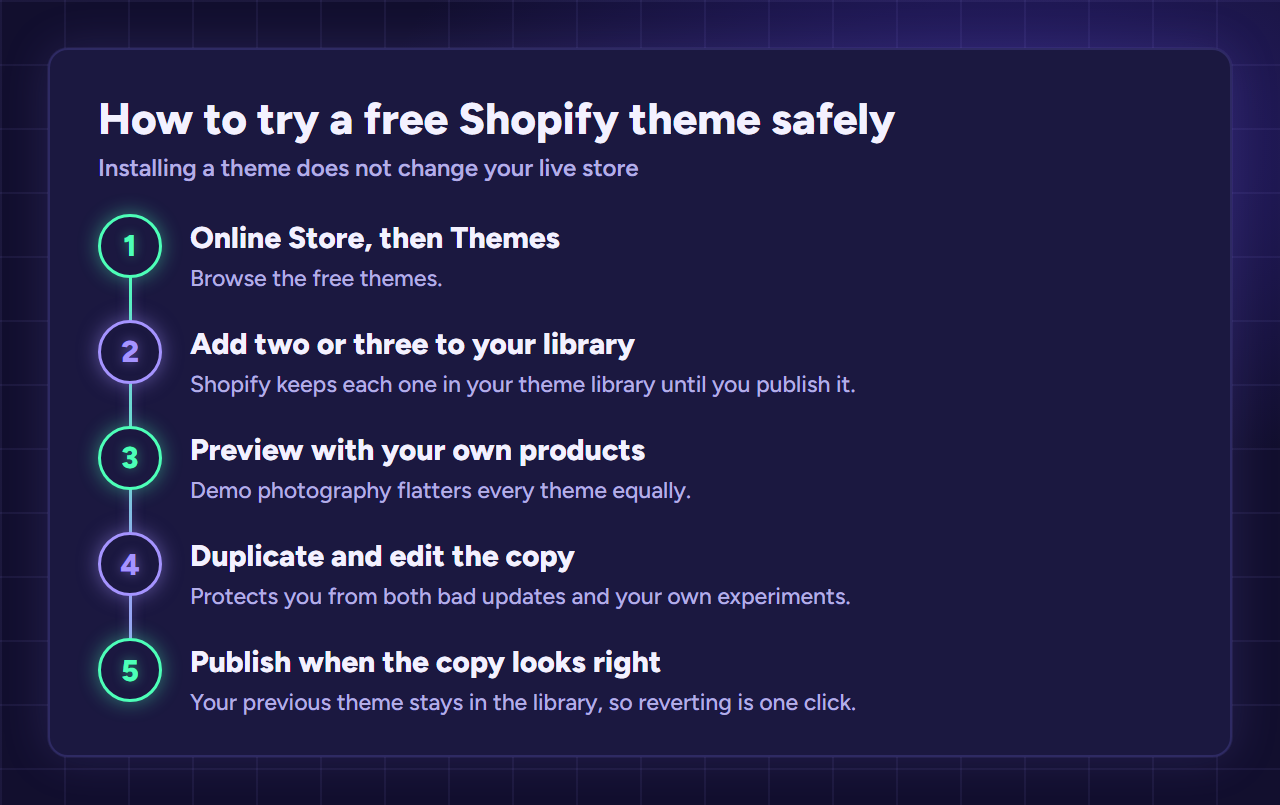
Installing a theme does not change your live store. Shopify keeps it in your theme library until you publish it, so you can experiment freely.
Go to Online Store, then Themes, then browse the free themes. Add two or three to your library. Preview each with your own products loaded rather than judging from the demo, because demo photography flatters every theme equally.
Before customizing seriously, duplicate the theme and work on the copy. This costs nothing and protects you from both bad updates and your own experiments.
Publish only when the copy looks right. Your previous theme stays in the library, so reverting is one click.
If you have not built the store yet, the guide that covers the full sequence is our step-by-step guide to launching a Shopify store, where theme selection sits at step three. The breakdown that puts a premium theme purchase in budget terms is our full breakdown of what Shopify actually costs.
How much does theme choice actually affect sales?
Theme choice affects sales less than theme roundups imply, and mostly through page speed and mobile layout rather than visual design. It still matters more than nothing, and both halves of that matter.
Speed is the part that genuinely moves revenue. Page load time affects conversion measurably, and it compounds on mobile where most ecommerce traffic now arrives. This is also the area where the best free Shopify themes have a real advantage, because Dawn and Horizon are built and maintained against Shopify's own performance standards. Many premium themes are slower, having added features by adding weight.
Layout matters at the margin. A product page where the price and add-to-cart button sit below the fold on a phone will convert worse than one where they do not. That is a settings problem, though, not a theme problem, and it is fixable in any theme in about ten minutes.
Where to spend your attention instead
What theme choice does not fix is everything upstream of the page. If your product has no demand, your price does not clear your acquisition cost, or your traffic is poorly targeted, no theme rescues that. Stores fail on unit economics far more often than on design. If you are dropshipping, our look at dropshipping success rates covers that side of the question.
The honest framing is that a theme can lose you sales but rarely wins them. A slow, confusing, or broken-on-mobile store leaks revenue. A fast, clear one simply gets out of the way so the product can do its job.
This is also why spending money on a theme before launch is usually premature. The version of your store that fails will fail for reasons a theme cannot address. The version that works will eventually give you a specific, identifiable limitation, and at that point paying to solve it is an informed decision rather than a guess.
That is the practical case for starting on one of the best free Shopify themes rather than shopping for a paid one. You are not settling for less. You are declining to spend money on a question you cannot yet answer, while getting a faster store than most paid options would have given you anyway.
Get something clean and fast live, then spend your attention on product and traffic. Come back to design once you have sales data telling you which part of the page is actually costing you.
FAQ
Choosing questions
Which is the best Shopify theme for new store owners?
Dawn for most beginners, because its constraints prevent design mistakes and it is faster to configure. Horizon if you want more layout control and the platform's current direction.
Is Dawn or Horizon better in 2026?
Neither is better for everyone: Horizon is more flexible and is now the default, while Dawn is more stable and simpler. New stores can reasonably start on either. Established stores with heavy Dawn customization should not rush to move.
Are all the free Shopify themes really the same?
Yes within a family: all 13 Dawn-family themes share identical code, as do all 10 Horizon-family themes. Only the default settings and demo content differ.
Practical questions
Can I switch themes later?
Yes, but with different costs. Swapping presets inside a family takes minutes. Moving between Dawn and Horizon means rebuilding pages, because the content systems differ.
Do free themes hurt my store's speed or SEO?
No. Dawn and Horizon are among the faster themes available, free or paid, and both follow Shopify's current technical standards.
When should I pay for a theme?
When you have revenue and a specific limitation you have actually hit, such as a large catalog or a conversion feature you would otherwise pay for monthly in apps. Not before your first sale.
Leave a Reply