• Shopify Pricing Plans Explained

    If you’ve read my guide on what Shopify is, you already know the short version of pricing: plans start at $5 a month and climb to $2,300+ for enterprise. For a brand-new store, the plan choice itself is easy — Basic, the cheapest plan with a real online store, and that’s the right call. Nobody launching their first shop needs to agonize over Grow versus Advanced. The questions that actually matter at that stage sit around the plan: what the transaction fees mean per sale, and why everyone online insists the “real” cost is higher than the pricing page.

    The higher tiers only become a real decision once there’s a real business behind them — a team that needs admin access, sales volume where fee percentages start to matter, or a store being moved over from another platform that already ships internationally and runs custom reports. That’s when matching the plan to the operation is worth thinking through carefully.

    So this post does both jobs: it walks through every Shopify pricing plan the way I’d explain it to a friend — what each one costs, what you actually get, the extra fees to budget for — and it maps each tier to the kind of business it’s actually built for. All prices below are the 2026 US figures from Shopify’s official pricing page, checked the day I wrote this.

    Key takeaways

    • Shopify’s three core plans cost $39, $105, and $399 per month — or $29, $79, and $299 per month if you pay yearly, which saves you 25%.
    • On top of the subscription, you pay a card processing fee on every sale (2.9% + 30¢ on Basic, dropping as you upgrade), plus an extra 0.6–2% surcharge if you don’t use Shopify Payments.
    • The Starter plan ($5/month) is a checkout link for social selling, not a real online store; Shopify Plus (from $2,300/month) is for large businesses.
    • Most new sellers should start on Basic with Shopify Payments — you get a full store, unlimited products, and AI selling channels for the lowest cost.
    • Your true monthly cost is usually higher than the plan price once you add apps, a domain, and possibly a premium theme — budget for that from day one.

    Shopify pricing plans at a glance

    The full 2026 US lineup, straight from Shopify’s pricing page:

    PlanMonthly billingYearly billing (per month)Online card rate*Third-party payment feeStaff accountsBest for
    Starter$55%NoneSelling via links and social, no full store
    Basic$39$292.9% + 30¢2%Owner onlyNew stores and solo sellers
    Grow$105$792.7% + 30¢1%5Small teams and growing stores
    Advanced$399$2992.5% + 30¢0.6%15High-volume and international sellers
    PlusFrom $2,300 (3-year term)NegotiatedShopify’s most competitive rates0.2%UnlimitedLarge and enterprise businesses

    *Card rates are US rates with Shopify Payments for standard online transactions. Rates vary by country and card type.

    Two more options sit outside the core lineup: POS Pro (+$89/month per location) adds advanced tools for physical retail stores, and the new Agentic plan ($0/month) lets you sell products directly through AI chat channels with no store at all — you only pay card fees when you make a sale.

    Every plan starts with a 3-day free trial, and new merchants currently pay just $1/month for the first 3 months — plenty of time to build and launch before the standard rate kicks in.

    Billed yearly: You pay for twelve months upfront in exchange for a lower monthly rate. It saves 25%, but Shopify doesn’t refund annual plans, so I’d only commit once you’re sure you’re staying.

    Basic ($39/month): where most people should start

    Basic is the cheapest plan that gives you a real online store — full website, unlimited products, blog, custom domain support, and Shopify’s checkout. Despite being the entry plan, it’s not stripped down: you get abandoned checkout recovery, discount codes, email and SMS campaigns, automated sales tax calculations, 10 inventory locations, and 24/7 live chat support.

    Two things surprised me about Basic in 2026. First, it now includes agentic commerce — your products can be found and bought through AI assistants like ChatGPT, which used to be the kind of feature you’d expect locked behind expensive tiers. Second, Shopify’s 1% credits program: you earn 1% back on your sales (up to $5,000 in credits on Basic), applied against your Shopify bills.

    The real limitation is staff accounts: Basic has none. Only the store owner can log into the admin (you can invite third-party collaborators, like a designer, but not give a teammate their own account). The moment a co-founder or employee needs regular access, you’ve outgrown Basic — that’s the main trigger to upgrade, more than any revenue number.

    Who it’s for: first-time sellers, solo founders, side hustles, and any store where one person runs the admin. This is the plan I’d start on.

    Grow ($105/month): when you have a team

    Grow is Basic plus room for people and data. You get 5 staff accounts, lower card rates (2.7% + 30¢ online), a smaller third-party payment surcharge (1% instead of 2%), and a higher credits cap ($7,500). Real-time carrier-calculated shipping rates become available as a paid add-on at this tier.

    The honest way to think about Grow: you’re mostly paying for team access. The fee savings help — I’ll show the math in the upgrade section below — but if you’re a solo operator, the extra $66/month over Basic rarely buys you much.

    Who it’s for: stores where more than one person works in the admin day to day. That usually means either a store that grew on Basic until a second pair of hands was needed, or an established business arriving from another platform with a small team already in place — for those, Grow is realistically the entry plan, not Basic.

    Advanced ($399/month): for volume and international selling

    Advanced steps things up for stores that have genuinely scaled: 15 staff accounts, card rates down to 2.5% + 30¢, a 0.6% third-party surcharge, a $10,000 credits cap, and — the features that actually define this tier — a custom report builder, third-party calculated shipping rates included, and stronger tools for selling across regions. Support is also upgraded to “enhanced” live chat.

    Third-party calculated shipping rates: Instead of you guessing flat shipping fees, carriers like UPS or FedEx quote the real cost live at checkout based on the customer’s address and package weight. It makes shipping prices accurate — customers pay what shipping actually costs, and you stop losing money on underpriced deliveries.

    Who it’s for: businesses bringing real volume onto Shopify — a larger team, serious international shipping, or reporting needs the store already depends on. It’s the tier that matches an operation of that size from day one; for everyone else, it’s the plan you grow into once Grow’s limits actually start to pinch, not before.

    Starter and Plus: the two ends of the spectrum

    Starter ($5/month) isn’t an online store — it’s a checkout you can attach to links in Instagram bios, WhatsApp messages, and social posts, with a very simple storefront. Card fees are a steep 5% per sale, which is fine at tiny volume and painful beyond it. It’s a reasonable way to test whether anyone will buy your product before committing to a real store, and that’s about it.

    Shopify Plus (from $2,300/month on a 3-year term) is the enterprise tier — this is what large brands run on. You get unlimited staff accounts, a fully customizable checkout, up to 200 inventory locations, unlimited B2B catalogs, up to 9 free expansion stores for different countries or brands, priority 24/7 phone support, and Shopify’s best payment rates. Shopify currently offers the first month of Plus for $399 so bigger merchants can trial it. One detail worth knowing if you’re eyeing this tier: industry analyses report that above roughly $800K/month in sales volume, Plus pricing shifts to a percentage-of-revenue model rather than the flat fee — at that scale you’d be negotiating directly with Shopify anyway.

    If you’re reading a beginner blog to choose between Basic and Grow, Plus is not your problem yet — and honestly, that’s a nice problem to have later.

    The fees beyond the subscription

    This is the part most people miss when they compare Shopify pricing plans, so I’ll make it concrete.

    Card processing fees apply to every sale. With Shopify Payments (Shopify’s built-in payment processor), a $100 order on Basic costs you $3.20 in processing ($2.90 + $0.30). That’s normal — every platform and payment processor charges something similar — but it means your real Shopify cost scales with your revenue, not just your plan.

    The third-party payment surcharge is the fee to actually avoid. If you process payments through an outside provider like PayPal or Stripe instead of Shopify Payments, Shopify adds its own surcharge on top of that provider’s fees: 2% on Basic, 1% on Grow, 0.6% on Advanced. The simplest money-saving rule in this whole article: use Shopify Payments if it’s available in your country, and the surcharge disappears entirely.

    The costs around the plan itself:

    Extra costTypical rangeNotes
    Custom domain~$10–20/yearNot included in any plan
    Premium theme~$100–500 one-timeOptional — free themes are genuinely usable
    Apps$0 to $50+/month eachMost stores run a few; many have free tiers
    POS Pro (physical retail)$89/month per locationOnly if you run brick-and-mortar stores

    How much do apps really add up to? It depends entirely on your stage. A lean new store can run on free apps and pay nothing. One agency analysis of mid-market brands puts typical app stacks at $350–1,400/month once you’re running serious email marketing, reviews, and loyalty tools — but that’s a scaling cost, not a launch cost. When I estimated in my Shopify guide that a typical small store lands around $50–300/month all-in, this is where the range comes from.

    One cost that offsets the rest: the 1% back in Shopify credits mentioned earlier. A store doing $4,000/month in sales on Basic earns about $40/month in credits — which quietly covers most of the subscription.

    When should you upgrade? (the honest math)

    If you started on Basic — as most new sellers should — the question eventually becomes when to move up. There are two valid reasons: you need a feature the next tier unlocks, or the lower card rates save you more than the higher subscription costs. The feature reason is easy to spot (usually staff accounts). The fee math is worth seeing once:

    Each tier jump lowers your online card rate by 0.2 percentage points. On $10,000 of monthly sales, that’s $20 saved. Moving from Basic to Grow on yearly billing costs an extra $50/month — so the fees alone justify it at roughly $25,000–35,000 in monthly revenue. One industry breakeven analysis puts the Basic-to-Grow crossover at about $33,000/month and Grow-to-Advanced at about $147,000/month. (Author’s note, for reference only: in practice, almost nobody upgrades because of this math — they upgrade because they hired someone and need a staff login. Treat the breakeven numbers as a sanity check, not a rule.)

    The reverse advice matters more: don’t start on a higher plan “to be safe.” Upgrades take effect immediately whenever you want them, so there’s no penalty for starting on Basic and moving up the week you actually hit a wall.

    How to choose your plan: quick decision guide

    The pattern is simple: the plan should match the business you have today, not the one you hope to have.

    • Testing whether anyone will buy, selling through social links only → Starter ($5/month)
    • Launching a new store → Basic ($39/month, or $29 yearly) — full stop. Start here, upgrade only when you hit an actual wall.
    • A team of 2–5 works in the store admin, or sales are past ~$30K/month → Grow ($105/month, or $79 yearly)
    • Larger team, custom reporting, heavy international shipping → Advanced ($399/month, or $299 yearly)
    • Enterprise scale, custom checkout, B2B operations → Plus (from $2,300/month — talk to Shopify’s sales team)

    And whichever plan you pick: turn on Shopify Payments, consider yearly billing once you’re committed (25% off), and start with a free theme.

    If you’re planning to run your store as a dropshipping business, the same logic applies — Basic is the standard starting plan, and your bigger budget line will be ad spend, not the subscription. I’ve broken down what that full cost picture looks like, including what dropshippers actually earn, in separate guides.

    FAQ

    How much does Shopify cost per month? The core plans cost $39 (Basic), $105 (Grow), and $399 (Advanced) on monthly billing — or $29, $79, and $299 per month when billed yearly. Starter is $5/month, and Shopify Plus starts at $2,300/month on a 3-year term. Card processing fees apply on top of every plan.

    Is there a free Shopify plan? No. Shopify offers a 3-day free trial, and new merchants currently pay $1/month for their first 3 months before standard pricing begins.

    How much does Shopify take per sale? With Shopify Payments in the US, standard online card rates are 2.9% + 30¢ on Basic, 2.7% + 30¢ on Grow, and 2.5% + 30¢ on Advanced. On a $100 sale, that’s $3.20, $3.00, or $2.80 respectively. If you use a third-party payment provider, Shopify adds a 0.6–2% surcharge on top of that provider’s own fees.

    What’s the difference between the Basic and Grow plans? The big ones: Grow gives you 5 staff accounts (Basic has none — owner only), lower card rates (2.7% vs 2.9%), a 1% instead of 2% third-party payment surcharge, and a higher credits cap. If you work alone, Basic covers nearly everything Grow does.

    Can I change my Shopify plan later? Yes. Upgrades take effect immediately with prorated billing; downgrades apply at the end of your current billing cycle. Note that yearly plans are prepaid and non-refundable.

    Is Shopify worth the price? For most people serious about selling online, I think so — the subscription buys you hosting, security, checkout, and updates you’d otherwise manage yourself. I walk through the full value question, including the trade-offs, in my What Is Shopify guide.


    Sources & a note on the numbers

    All plan prices, card rates, transaction fees, staff account limits, credits caps, and trial details in this article come from Shopify’s official US pricing page, verified on the day of writing. Third-party figures are attributed where used: the app cost range for mid-market brands and the note on Plus revenue-based pricing at scale come from a Commerce-UI (Shopify Plus agency) pricing analysis, and the plan-upgrade breakeven estimates come from an ecomm.design pricing guide. Prices are US pricing and vary by country; Shopify’s plans, rates, and promotions change over time, so always confirm on Shopify’s official pricing page before signing up. Plan recommendations and any passages marked as the author’s note are opinion, offered for reference only.


    I’m building EasyCommerce Club to be the ecommerce resource I wish I’d had starting out — plain-language guides, essential information.

  • Dropshipping Average Income in 2026: What Sellers Actually Take Home

    Ask ten people what the average dropshipping income is and you’ll get ten different answers — usually somewhere between “it’s dead, you’ll make nothing” and a screenshot of a $50,000 revenue month. The truth sits in a much less exciting place: most dropshippers earn modestly, a small group earns very well, and the difference between the two is rarely luck.

    This guide breaks down what dropshippers realistically earn in 2026 — per month and per year, by experience level — and, more importantly, how much of that revenue they actually keep after ads, product costs, and fees. Then we’ll look at what separates the stores that reach consistent profit from the majority that never do.

    The short answer: average dropshipping income in 2026

    The figures below are compiled from published industry breakdowns — including one platform’s analysis of 1,200+ dropshipping stores and seller-reported earnings from community discussions — rather than any official statistic. No verified census of dropshipper income exists, so treat these as reference ranges:

    Experience levelTypical monthly net incomeWhat’s happening at this stage
    Beginner (months 1–6)$0 – $2,000 (losses are common)Testing products, learning paid ads, burning budget on failed tests
    Intermediate (6–18 months)$2,000 – $10,000One or more winning products, ads that convert, repeatable systems
    Advanced (18+ months)$10,000 – $50,000+Multiple winners or stores, data-driven scaling, often building a brand

    Annually, that translates to roughly $20,000–$120,000 for most working dropshippers, with a smaller experienced group earning $120,000 to $600,000+ per year. Weekly, beginners land anywhere from $0 to around $1,000, while seasoned sellers can pull in several thousand.

    Two caveats before you anchor on any of these numbers.

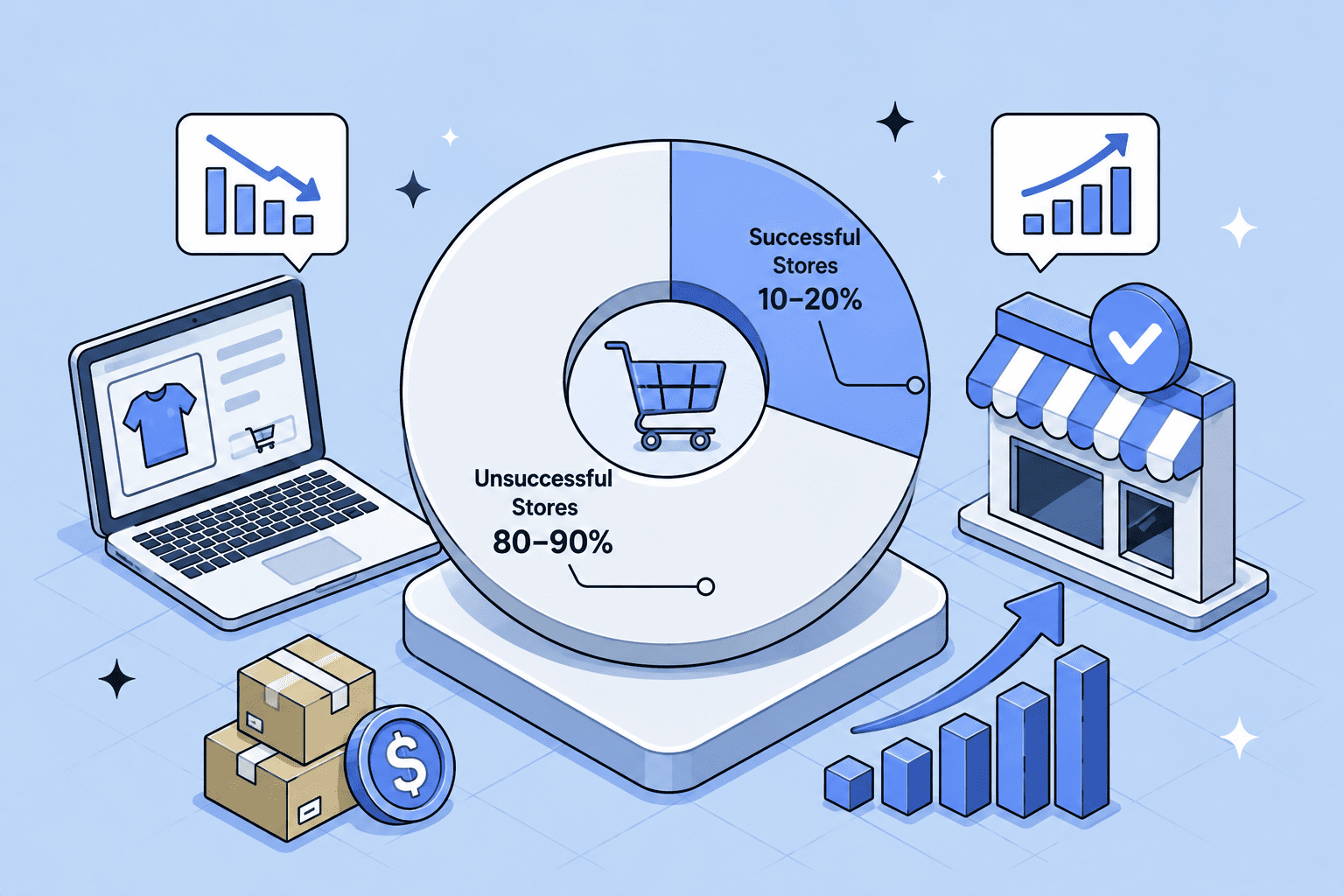
    First, these are ranges, not guarantees. Only an estimated 1–5% of dropshippers ever reach consistent profitability — stable profit month after month, not one lucky spike. Around 90% of new stores don’t survive their first year, usually because of poor product research, unreliable suppliers, or ad budgets that ran out before a winner appeared.

    Second, and this is the part most income screenshots hide: income means net profit, not revenue. A store “doing $30K a month” might be keeping $4K — or losing money.

    Revenue vs. net profit: the number that actually matters

    Every dropshipping income conversation should start with this distinction, because it’s where beginners get misled the most.

    • Revenue is everything customers pay you: price × orders.
    • Net profit is what’s left after product costs, shipping, ad spend, platform and app fees, payment processing, refunds, and taxes.

    Here’s what the gap looks like in practice. Say your store generates $10,000 in monthly revenue:

    Line itemAmount
    Revenue$10,000
    Cost of goods sold (~40%)–$4,000
    Gross profit$6,000
    Advertising–$2,000
    Platform, apps, payment fees, misc.–$500
    Net profit$3,500 (35% margin)

    That’s a healthy store. Plenty of stores with the same $10,000 top line spend $5,000 on ads instead of $2,000 and walk away with a few hundred dollars — or nothing.

    What counts as a good margin? Published estimates vary widely here, so it’s worth knowing the spread: some industry sources report typical gross margins of 20–30%, while others report 65–70% before advertising and fees are deducted — the difference largely comes down to niche and how costs are counted. On net margin, the figure that matters, the commonly cited healthy benchmark is 5–20%+, with 20%+ indicating an unusually efficient operation. (Author’s note, for reference only: in my view, anything under 10% net leaves little buffer — one bad ad week or a refund spike can erase the month.)

    If you take one habit from this article: track net profit weekly, not revenue. It’s the only number that tells you whether the business is working.

    How long does it take to earn consistent income from dropshipping?

    Faster than a traditional business, slower than the gurus promise.

    • First sale: Estimates differ by source — some report the first 7–14 days of active product testing and ad learning; others put it at 4–8 weeks after launch.
    • Consistent profit: Typically 3–6 months for sellers who test aggressively and cut losers fast; 6–18 months is the realistic window for most.
    • $5,000–$10,000/month: Usually 6–12 months of continuous testing, learning, and reinvesting profit back into ads and tools.
    • Six figures annually: Achievable in roughly 18–24 months for operators who master a niche, build supplier relationships, and scale marketing efficiently.

    The variables that compress or stretch this timeline are your starting budget (more capital = more tests = faster learning), niche competitiveness, and how quickly you kill products that aren’t working instead of hoping they’ll turn around.

    6 factors that decide how much you’ll earn

    Two sellers can list the identical product and end up with wildly different bank balances. These are the levers that create the gap.

    1. Niche and product selection

    High-perceived-value niches — beauty tools, jewelry, pet accessories, home fitness, baby products — support markups of 50–100% because customers buy on branding and emotion. Commodity products (generic gadgets, basic phone cases) tolerate 15–25% markups and force you into price wars. Narrowing your niche also slashes competition: “standing desk accessories for remote workers” faces a fraction of the competitors that “office products” does, which means cheaper customer acquisition and fatter margins.

    2. Customer acquisition cost (CAC)

    Advertising is almost always a dropshipper’s biggest expense, which makes CAC the metric that quietly controls your income. Know your break-even CAC — the most you can pay for a customer without losing money — and treat it as a hard ceiling. Successful sellers get there by testing creatives constantly, pausing losers within days, retargeting site visitors (which converts far better than cold traffic), and layering in low-cost channels like email, SMS, and organic short-form video.

    3. Pricing strategy

    Don’t just add a flat markup to supplier cost. Price against the full unit economics: product cost + shipping + payment fees + realistic ad spend per order. Then test upward — raising a price from $45 to $50 often increases total profit even if volume dips slightly, because the margin gain outweighs the lost orders.

    4. Supplier reliability and shipping speed

    An unreliable supplier can destroy a profitable store in weeks. Stockouts during your best sales period, slow shipping that triggers chargebacks, and inconsistent quality that drives refunds all bleed directly out of net profit. Keep backup suppliers for your core products, and as volume grows, consider agents or fulfillment partners with local warehousing — faster delivery lifts conversion, cuts refunds, and drives repeat purchases.

    5. Operating cost discipline

    Platform fees, apps, and tools feel small individually and add up brutally. Audit your stack regularly and keep only what measurably improves conversion or saves time. The same goes for automation: manually forwarding orders and tracking numbers eats 15–20 hours a week that could go into marketing.

    6. Repeat customers

    Acquiring a customer is the expensive part; the second and third orders are nearly pure margin because their acquisition cost is already paid. Stores with a 20–25% repeat rate can generate dramatically more annual profit from the same ad spend than stores where everyone buys once. Loyalty perks, post-purchase email flows, and genuinely fast support are what move this number.

    How to increase your dropshipping income

    If your store is live and the numbers are thin, these are the moves most consistently recommended across industry guides. The ordering by impact is the author’s judgment, offered for reference only — your highest-leverage fix depends on where your own numbers leak.

    1. Raise your average order value (AOV). Since traffic is your biggest cost, extracting more revenue per order is the fastest profit lever there is. Bundles (“3 for the price of 2”), volume discounts, free-shipping thresholds, and one-click post-purchase upsells all increase order size with zero extra ad spend. One well-documented Shopify case study — a plush toy store that generated $100,000 in revenue over two months, keeping roughly $19,000 in profit after $31,000 in ads and $48,000 in goods and shipping — credited a simple 3-for-2 bundle with doubling its AOV.

    2. Kill losing products fast. Give a test 3–7 days or a defined budget. If click-through is low, cost-per-click is high, and add-to-carts aren’t appearing after meaningful spend, cut it and move on. Emotional attachment to a product is one of the most expensive habits in dropshipping.

    3. Shift toward higher-ticket or higher-margin products. Cheap impulse buys need enormous volume to matter, while higher-ticket products with strong perceived value offer more room for profit per sale. As a purely illustrative example: a $120 product at a 30% net margin earns $36 per order — the same profit as eighteen orders on a product netting $2 each.

    4. Build a brand, not just a store. Once a product proves demand, invest in custom packaging, private labeling, better creative, and a store that looks like a real company. Branded stores charge 30–50% more for comparable products, defend against copycats, and earn the trust that makes scaling paid ads sustainable.

    5. Optimize for net profit, not revenue. Review your P&L weekly. Know your profit per product, per channel, and per campaign. Sellers who track only revenue routinely scale unprofitable products because “the numbers were going up.”

    Is dropshipping income enough to go full-time?

    Not at first, for most people. In the $0–$2,000 beginner phase, income fluctuates too much to replace a salary, and there are no benefits or guaranteed paychecks to fall back on. Going full-time starts to make sense when net profit holds at $3,000–$5,000+ per month for several consecutive months — enough of a track record that one bad month won’t sink you.

    It’s also worth resetting the “passive income” framing. Dropshipping outsources fulfillment, not the business. Product research, ad management, supplier communication, and customer support are ongoing work — successful sellers typically put in 15–30+ hours a week, especially in the first year.

    The bottom line

    The dropshipping average income in 2026 is a wide range for a reason: this is a real business with a real skill curve, not a template you copy. Most sellers earn between a few hundred and a few thousand dollars a month; a disciplined minority earns $10,000–$50,000+ monthly by treating margins, testing, and customer experience as seriously as product hunting.

    The market itself is still growing fast — Grand View Research projects the global dropshipping market will reach roughly $1.25 trillion by 2030 — so the opportunity isn’t the constraint. The closing advice here is the author’s take, for reference only: start with realistic expectations, measure net profit from day one, cut losers quickly, and reinvest in what works. In my experience, that’s the pattern behind every income screenshot worth believing.

    FAQs

    How much do dropshippers make a month? Beginners typically earn $0–$2,000 per month (losses included), intermediate sellers $2,000–$10,000, and advanced sellers $10,000–$50,000+. One industry estimate puts the median seller with 12 months of consistent effort at around $1,500–$3,000 in monthly net profit.

    How much do dropshippers make a year? Most working dropshippers earn roughly $20,000–$120,000 annually. Experienced operators with optimized stores or multiple brands can reach $120,000–$600,000+, and rare outliers exceed $1 million.

    Can you make $100k a year dropshipping? Yes, but it’s an advanced-seller outcome, not a starting expectation. It generally requires 18–24 months of experience, healthy net margins (15–20%+), meaningful ad budget, and strong branding.

    What’s a realistic profit margin for dropshipping? Gross margins commonly run 20–70% depending on niche and sourcing. For net margin — what you actually keep — 10–20% is a healthy benchmark, and 20%+ is excellent.

    How much money do you need to start? You can technically start with under $100, but most sellers who reach profitability start with $500–$2,000, with the majority of that budget going to ad testing across 3–5 potential products.

    Why do most dropshippers fail? An estimated 80–90% of stores fail within the first year, usually from a combination of poor niche selection, unreliable suppliers, untracked costs, and quitting before finding a winning product. Nearly all of these are execution problems, not flaws in the model itself.


    Sources & a note on the numbers

    Income figures, margins, timelines, success/failure rates, and the case study in this article are drawn from published industry sources: TrueProfit’s analysis of 1,200+ dropshipping stores, Shopify’s dropshipping guides, Zendrop’s earnings breakdown, BettaMax’s income report, Qikify’s income analysis (including the Subtle Asian Treats case study, originally reported by Shopify/Oberlo), and Grand View Research’s dropshipping market forecast. These are estimates from private analyses and self-reported seller data — no independently verified statistic on average dropshipping income exists. Strategic recommendations and any passages marked as the author’s note are opinion, offered for reference only, not financial advice.

    You can read more about Shopify dropshipping basic guide that I wrote here. e


    I’m building EasyCommerce Club to be the ecommerce resource I wish I’d had starting out — plain-language guides, essential information.

  • Understanding Shopify Dropshipping: The Real Costs and Profits

    Dropshipping is the ecommerce model you’ve seen behind every “make $10k/month” thumbnail — and most of what those videos tell you is either wrong or conveniently incomplete. The model itself is real and it works. The hype around it usually doesn’t.

    So here’s the straight version. In my first Shopify guide, I covered the store: the website, the cart, the checkout. Dropshipping is one way to run that store — the one where you never touch the products you sell. This guide covers how it works, what it actually costs, and what you can realistically earn, with numbers instead of promises.

    Key takeaways

    • Shopify dropshipping means selling products through your own Shopify store while a third-party supplier ships orders directly to your customers — you never buy or hold inventory.
    • It’s completely legal and legitimate; you’re just responsible for taxes, honest listings, and customer service like any retailer.
    • Realistic startup cost is around $400–700, not $0 — the “start for free” promise mostly ignores your ad budget.
    • Typical net margins run 15–25%, so a store doing $5,000/month in sales keeps roughly $750–1,250 in profit.
    • It still works in 2026, but as a real business with a testing phase — not a get-rich-quick shortcut.

    What is dropshipping?

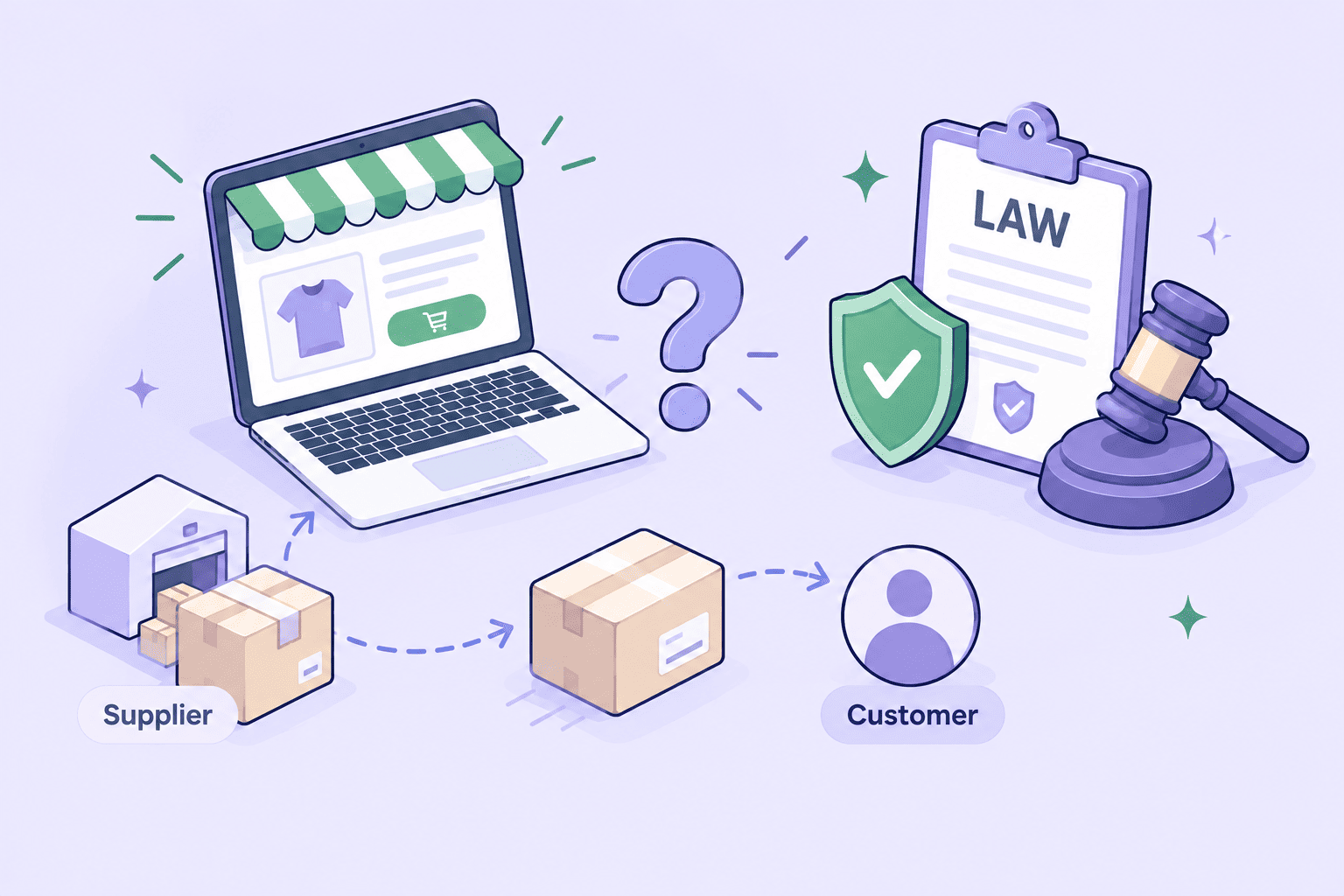
    Dropshipping is a fulfillment method where you never keep the products you sell in stock. You list a supplier’s products in your store at a markup, and when someone buys, the supplier ships the order straight to them.

    Fulfillment: Everything that happens after a customer pays — picking the product, packing it, and shipping it. In dropshipping, your supplier handles all of it.

    Here’s the whole model in one example. You find a supplier that stocks posture correctors for $14 each, and you list one in your store for $39.99. When someone buys:

    1. The customer pays you $39.99 through your store.
    2. You pay the supplier their $14 (an app does this automatically).
    3. The supplier ships the product directly to your customer — they never know a middleman was involved.

    Your gross profit is the $26 difference, before advertising, apps, and payment fees take their cut.

    The trade-off is control. You carry no inventory risk, but you also don’t control product quality, stock levels, or shipping speed. Everything after the sale rides on your supplier — which is exactly why picking a good one is the whole game.

    How does Shopify dropshipping work?

    You can dropship on almost any platform, so why is it always “Shopify dropshipping”? One reason: apps.

    Shopify’s app store has a whole category of dropshipping apps — DSers, AutoDS, Zendrop, Spocket — that connect your store to suppliers and automate the busywork:

    • Product import: push a supplier’s products (photos, descriptions, variants) into your store in one click.
    • Order routing: when a customer buys, the app sends the order and shipping address to the supplier automatically.
    • Inventory and price sync: if the supplier runs out or changes prices, your store updates itself — so you never sell something you can’t deliver.
    • Tracking: shipping numbers flow back into Shopify and out to your customer.

    Once that’s set up, the job is smaller than people expect. You pick a niche, connect an app, import a tight set of products, set your prices — and then spend your actual working hours on the two things no app will do for you: marketing and customer service.

    How much does it cost to start Shopify dropshipping?

    Ignore anyone who says “free.” Here’s a realistic budget:

    ExpenseTypical cost
    Shopify plan$39/month Basic (intro deals often make month one ~$1)
    Domain name$10–20/year
    Dropshipping app$0–50/month (most have free tiers to start)
    Paid theme (optional)$0–350 one-time
    Test orders (checking your own product quality)$30–80
    Initial ad budget$300–500 minimum to gather meaningful data

    Realistic total: roughly $400–700 for your first month or two. You can launch for under $100 if you skip ads and lean on organic TikTok or SEO, but that’s a slower road to your first sale. And the real cost isn’t money — it’s the weeks spent testing products that flop before one finally sticks.

    Is Shopify dropshipping profitable?

    It can be, but not at the margins the thumbnails imply.

    Net margin: What’s left from each sale after all costs — product, shipping, payment fees, apps, and ads. Different from gross margin, which only subtracts the product cost.

    Dropshipping net margins typically run 15–25%. A store doing $5,000/month in revenue keeps about $750–1,250. Most beginners who make it work reach $1,000–3,000/month in revenue within a few months of steady effort — and plenty never get there, usually because they quit mid-testing before a product lands.

    Three things separate the stores that profit from the ones that stall:

    • Product-market fit: one genuinely good product beats fifty average ones.
    • Ad cost discipline: if it costs $25 in ads to sell a product with $20 of margin, volume won’t save you.
    • Repeat purchases: the stores that last raise their average order value with bundles and sell to the same customer more than once.

    I’m putting together a full breakdown of real dropshipping income by stage — I’ll link it here once it’s live.

    Pros and cons of Shopify dropshipping

    ProsCons
    Low startup cost — no inventory investmentThin margins (15–25% net is typical)
    Fast to launch — a store can be live in a dayLong shipping times with overseas suppliers
    Location-independent, runs from a laptopNo control over product quality or stock
    Easy to test products and nichesHigh competition; identical products everywhere
    Scales without warehousing headachesCustomer service issues land on you, not the supplier
    Huge app ecosystem automates the busyworkAd costs keep rising, squeezing margins

    Dropshipping is best understood as a testing model, not a final destination. Most stores that grow past ~$10K/month eventually move on — private-label deals, some held inventory, or a 3PL for faster shipping — because dropshipping’s weak points (speed and quality control) cap how far a brand can go.

    3PL (third-party logistics): A company that warehouses your inventory and ships your orders for you. Faster and more controllable than dropshipping, but you buy stock upfront.

    Is Shopify dropshipping legal?

    Yes, completely. It’s just a fulfillment arrangement, and retailers have used it for decades. As the seller of record, you’re responsible for three things:

    • Honest selling: accurate descriptions, realistic shipping estimates, a clear refund policy.
    • Taxes: collecting sales tax or VAT where required, and reporting your income.
    • Intellectual property: no counterfeit or trademarked products — this is the fastest way to get your store and payment accounts shut down.

    You don’t need an LLC to make your first sales in most countries. Once revenue is steady, registering a business protects you personally and keeps payment processors comfortable.

    How to start Shopify dropshipping in 6 steps

    The high-level path — I’ll cover each step in depth in a dedicated guide (link coming):

    1. Choose a niche. Chase passionate audiences and real problems, not just “trending” products. Demand shows up on TikTok and Reddit before it shows up in search volume.
    2. Pick a supplier and app. Zendrop and Spocket for faster US/EU shipping; DSers or AutoDS for the widest AliExpress catalogs. Order samples of anything you plan to sell.
    3. Build your store. One clean theme, a focused product line, real trust signals — reviews, clear policies, a contact page. Skip the 500-product general store.
    4. Price for profit. Aim for at least a 3x markup on ad-driven products, and account for payment fees and returns before setting prices.
    5. Launch and market. Pick one traffic channel — TikTok organic, Meta ads, or SEO — and get good at it before adding a second.
    6. Test, cut, and scale. Give each product a small budget, cut the losers fast, and reinvest in what converts.

    Shopify dropshipping vs. the alternatives

    Vs. Amazon FBA: FBA hands you Amazon’s traffic and Prime shipping, but you buy inventory upfront (usually $2,000+) and Amazon owns the customer. Dropshipping is cheaper to start; FBA is usually faster to first sales.

    Vs. print on demand: POD is dropshipping for custom-designed products — shirts, mugs, wall art. Similar margins, but you compete on design and brand instead of sourcing.

    Vs. holding your own inventory: buying in bulk gets you better unit costs, faster shipping, and quality control — at the price of upfront capital and risk. Most dropshippers move here once they’ve proven a product sells.

    Dropshipping’s real strength is validation: it’s the cheapest way to learn whether people will actually buy something before you commit real money.

    Final thoughts: Is it right for you?

    Shopify dropshipping is a low-risk way to learn how ecommerce works: you list a supplier’s products, they ship, and you focus on finding customers. It’s legal, it’s legitimate, and it still works in 2026 — for people who pick a real niche, respect their margins, and stay in through the testing phase.

    Same advice as my Shopify guide: start small. The trial costs almost nothing, most apps have free tiers, and you can have a test store live this weekend. Learn as you go, and scale when something clicks.

    Costs and margins here reflect typical 2026 numbers and vary by niche, country, and supplier. Shopify prices are US pricing — check Shopify’s official pricing page for the latest.


    I’m building EasyCommerce Club to be the ecommerce resource I wish I’d had starting out — plain-language guides, essential information.

  • What Is Shopify? A Complete Beginner’s Guide for 2026

    If you’ve been thinking about starting an online store, chances are you’ve already come across the name Shopify. And probably a few others too — like WooCommerce, Amazon, and Adobe Commerce — all promising to help you sell online. But a few questions might come up, like “what is Shopify?” And what’s the actual difference between building your own online business from scratch and using an ecommerce platform like Shopify to do it for you?

    That’s exactly what I want to clear up. I’ll try to break it all down in plain, everyday language. And any time a slightly technical word comes up, like “cloud-based,” I’ll stop and explain what it actually means in simple terms, so nothing feels confusing. By the end, you’ll have a much clearer picture of what Shopify is, how ecommerce platforms actually fit in, and which path makes the most sense for your first online store.

    Key takeaways

    • Shopify is a cloud-based, all-in-one commerce platform that lets you build an online store and sell online, in person, and across social media.
    • It runs on a subscription model, with plans starting at $5/month (Starter) and scaling up to enterprise-level Plus plans.
    • It’s a legitimate, publicly traded company that powers millions of businesses worldwide.
    • The real monthly cost is usually higher than the base plan once you add apps, a domain, and payment processing fees — most small stores land around $50–$300/month.
    • Shopify is beginner-friendly and scales as you grow, which is why it’s one of the most popular ecommerce platforms for new online sellers (and in my personal opinion, it earns that spot).

    What is Shopify?

    Shopify is a commerce platform that lets anyone create an online store and sell products without needing to write code or hire a developer.

    Think of it as an all-in-one toolkit: it handles your website, your product pages, your shopping cart, your checkout, and your payments, all in one place.

    The process is fairly simple: you sign up for a plan, set up your online store, and start promoting it. I’ll walk through the basic steps later in this guide.

    Where does Shopify actually fit? Simple examples

    Example 1 — You make your own products.

    Say you make candles at home. You take photos of them, then use Shopify to build a website, list each candle with a price, and add a checkout button. A customer visits your store, adds a candle to their cart, and pays. Everything from the online shop to the moment the money is collected — the website, the cart, the checkout — that’s Shopify. Once the order comes in, you pack the candle and ship it yourself (Shopify can even print the shipping label for you). The making and the shipping are yours; the selling happens on Shopify.

    Example 2 — You source products from a vendor.

    Now say you don’t make anything yourself — you find a supplier that already has products, and you sell those. You list the supplier’s products on your Shopify store with your own prices. A customer buys and pays through your store, exactly like before. The only thing that changes is fulfillment: either you bought stock from the vendor ahead of time and ship it yourself, or — with dropshipping — you forward the order to the vendor and they ship it straight to your customer, so you never touch the product.

    Notice that in both cases Shopify’s role is identical: it’s the online store and checkout that connects your product to your customer and collects the payment. What changes is only where the product comes from and who ships it — not what Shopify does.

    It’s a software-as-a-service (SaaS) platform, which means you pay a recurring subscription fee to use it rather than buying and maintaining your own software. It’s also cloud-based and fully hosted, so you can manage your store, orders, and inventory from any device with an internet connection — Shopify takes care of the servers, security, and updates behind the scenes.

    Cloud-based: Cloud-based means the software runs on the internet rather than on your own computer, so there’s nothing to download or install. Your store and all its data live on Shopify’s computers, and you just log in through a web browser to manage it from any device.

    Founded in 2006 and headquartered in Ottawa, Canada, Shopify has grown into one of the largest ecommerce platforms in the world, powering millions of businesses across more than 175 countries. It’s a publicly traded company (you’ll find it on the New York and Toronto stock exchanges under the ticker SHOP), and it serves everyone from first-time sellers running a side hustle to massive global brands.

    In short: if you want to sell something online — physical products, digital downloads, services, or subscriptions — Shopify gives you the infrastructure to do it.

    Is Shopify legit? Yes, Shopify is completely legitimate. It’s a well-established, publicly traded company that has powered millions of stores for nearly two decades with secure, PCI-compliant payments — though keep in mind that how trustworthy any individual store is still depends on the merchant running it.

    How does Shopify work?

    At its core, Shopify works on a subscription model. You pay a monthly fee, and in return you get access to a hosted online store and all the tools needed to run it. Here’s how the main pieces fit together.

    Building your store. You start by signing up and choosing a theme — a pre-designed template that controls how your store looks. Shopify offers hundreds of mobile-friendly themes you can customize with your branding, colors, and logo using a drag-and-drop editor, no coding required. There are also built-in AI tools (Shopify Magic and the Sidekick assistant) that can help you generate store designs, write product descriptions, and create content. Take a look at the Shopify Theme Store if you want a quick browse.

    Adding products and getting paid. Next, you add your products — photos, descriptions, prices — and organize them into collections. When a customer checks out, Shopify Checkout processes the payment securely and accepts all major payment methods from day one. You can also turn on Shop Pay, Shopify’s accelerated checkout, which lets returning shoppers buy in a single tap and can boost your conversions.

    Fulfilling orders. When an order comes in, Shopify helps you print shipping labels, provide tracking, and access discounted shipping rates (up to 88% off with carriers). As you grow, the Shopify Fulfillment Network connects you with third-party logistics partners who can store and ship your inventory for you.

    Selling everywhere. Your store isn’t limited to your website. You can sell across social platforms like Instagram and TikTok, on marketplaces like Amazon and Etsy, and in person using Shopify’s point-of-sale (POS) system — all synced in one dashboard. One thing worth noting: Shopify is actively updating its system to help merchants sell through AI tools like ChatGPT and Gemini, too.

    Extending with apps. The Shopify App Store offers thousands of third-party apps for everything from building your storefront to email marketing, reviews, loyalty programs, and dropshipping — so you can add almost any feature your store needs. In fact, this partner ecosystem is one of Shopify’s biggest strengths. As they scale up, store owners can get a lot of help from third-party apps or even certified Shopify agency partners.

    Behind all of this, Shopify quietly handles the technical heavy lifting most people never want to deal with: secure hosting, fast loading speeds, software updates, inventory tracking, tax calculations, and analytics that show how your store is performing.

    What can you sell on Shopify?

    One of Shopify’s strengths is flexibility — it’s not just for physical goods. You can sell:

    • Physical products — anything from handmade jewelry to furniture
    • Digital products — e-books, online courses, music, and downloads
    • Services and consulting — coaching, professional advice, or appointments
    • Print-on-demand items — custom apparel and decor printed only when ordered
    • Subscriptions and memberships — recurring boxes or members-only access
    • Ticketed experiences — workshops, classes, and events, online or in person
    • Rentals — short-term rentals or event supplies

    A few categories are restricted, so it’s worth checking Shopify’s acceptable use policy before you list anything unusual.

    💡 What is Shopify dropshipping? Dropshipping means selling products without keeping any stock yourself. When a customer orders from your Shopify store, a supplier ships the product straight to them, so you only pay for it after you’ve made the sale. You connect to suppliers through an app like DSers or Printful. It’s a low-cost, beginner-friendly way to start, though margins tend to be thin and competition is high.

    How much is a Shopify store? (2026 pricing)

    Shopify offers several subscription tiers. Here’s how the main US plans look in 2026 (prices vary by country, and paying annually typically saves you around 25%):

    PlanMonthly CostStaff AccountsBest For
    Starter$5/monthSelling via social media and links, not a full store
    Basic$39/month (≈$29 billed annually)0 (owner only)New stores and first-time sellers
    Grow*$105/month (≈$79 billed annually)5Growing businesses that need more features
    Advanced$399/month (≈$299 billed annually)15Established merchants with higher volume
    PlusFrom ~$2,300/monthUnlimitedLarge and enterprise-level businesses

    *The Grow plan was previously just called the “Shopify” plan, so you may still see it referred to that way.

    New merchants usually get a free trial (currently 3 days) followed by an introductory rate of just $1/month for the first three months while they set up.

    But the subscription is only part of the picture. Here’s what else factors into the real cost of running a store:

    • Payment processing fees. Every card payment includes a processing fee. With Shopify Payments, online rates run from about 2.9% + 30¢ per transaction on Basic down to roughly 2.5% + 30¢ on Advanced. If you use a third-party payment provider instead, Shopify adds a small extra fee on top — so most sellers stick with Shopify Payments where it’s available.
    • Apps. Most stores install a few apps to add functionality, ranging from free to $50+ per month each.
    • Theme. Shopify offers free themes, but premium themes are a one-time purchase, usually $100–$400.
    • Domain name. A custom web address (like yourbrand.com) costs around $10–$20 per year.

    When you add it all up, a typical small Shopify store costs somewhere in the range of $50 to $300 per month to run, depending on your apps and sales volume. You can absolutely start lean — the Basic plan plus a free theme and a domain is enough to launch — and scale your spending as your business grows.

    Shopify vs. other platforms: Why choose Shopify?

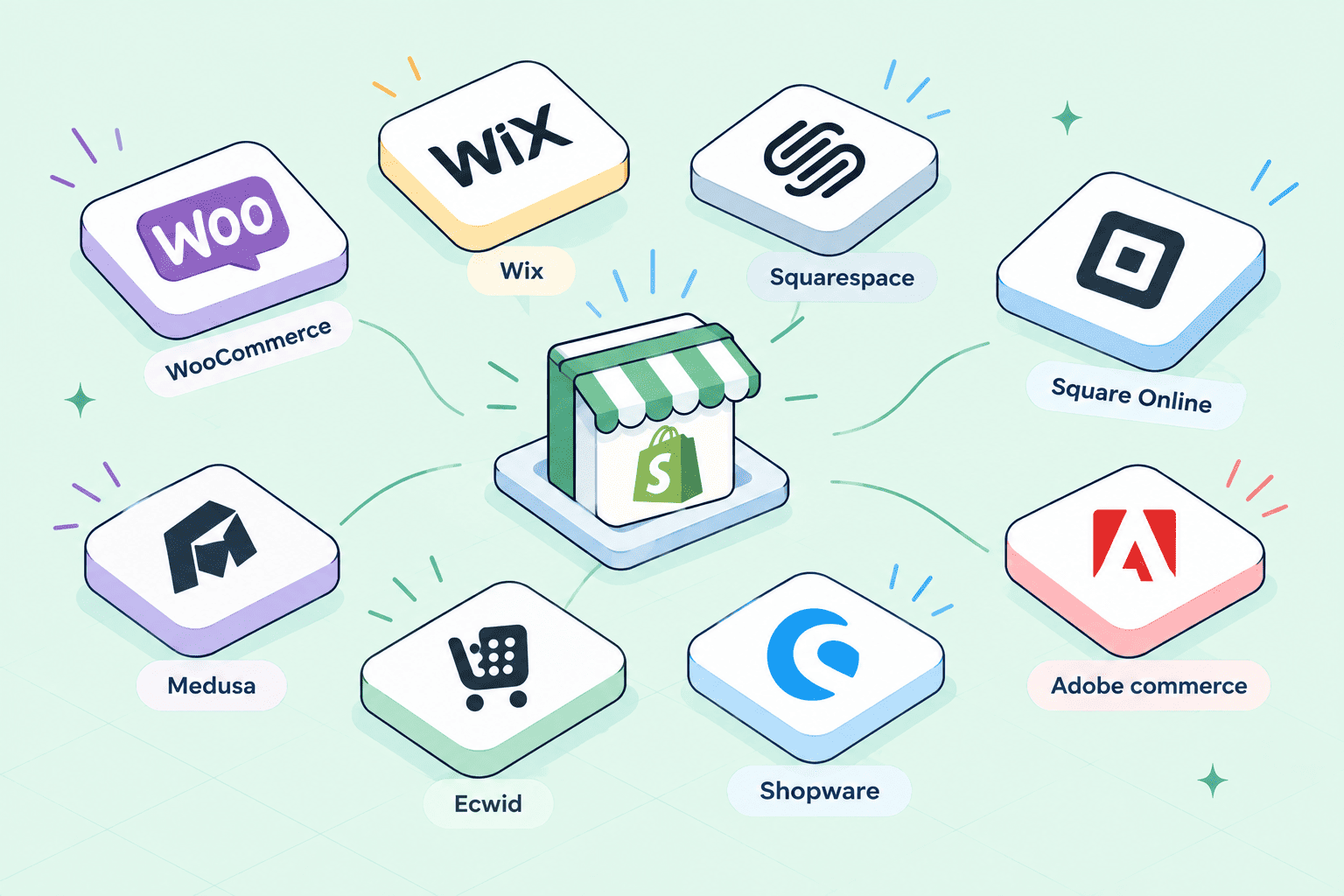
    Shopify isn’t the only way to sell online.

    Here’s how it stacks up against the alternatives beginners most often compare it to:

    PlatformWhat it isBest for
    ShopifyYour own standalone, fully branded storeBuilding a brand you control and scaling it over time
    AmazonA giant marketplace where you list alongside othersInstant access to a huge audience, without building a brand
    EtsyA marketplace for handmade and vintage goodsCrafters and casual sellers who want built-in traffic
    WixA general website builder with ecommerce featuresSimple sites; fewer apps and integrations than Shopify

    The key distinction: with Amazon or Etsy, you’re essentially renting space inside someone else’s marketplace and selling alongside competitors. With Shopify, you build and own your own brand and customer relationships. Marketplaces give you instant visibility but little control; Shopify gives you control but means you’re responsible for driving your own traffic.

    Shopify also tends to win on extensibility — its app store (8,000+ apps) and payment gateway options (100+) far outnumber what builders like Wix offer, and it has no product or bandwidth limits even as you scale.

    Is Shopify Worth It?

    Whether Shopify is worth it depends on your goals, but for most people who are serious about selling online, the answer leans yes. Here’s an honest look at both sides.

    What makes Shopify worth it:

    It’s genuinely beginner-friendly — you can build a professional-looking store without any technical skills. It handles all the security, hosting, and updates for you, so you can focus on selling rather than maintenance. It scales smoothly from a tiny side project to a large operation, its POS system unifies online and in-person sales, and its enormous app ecosystem means you can add almost any feature you need. You also get reliable customer support and a huge community of guides and resources.

    The trade-offs to consider:

    The costs add up once you start adding apps and paying transaction fees, so it’s not the cheapest option out there. If you use a payment provider other than Shopify Payments, you’ll pay extra fees. While the platform has solid built-in SEO basics, it offers less SEO flexibility than some competitors. And although you can customize a lot without code, deeper design changes may require some technical knowledge or a developer. Email hosting also isn’t built in, so you’ll need a third-party service for branded email addresses.

    For comparison, free or self-hosted options like WooCommerce can cost less, but put far more of the technical burden on you. Shopify’s appeal is that it trades a bit of cost for a lot of convenience and reliability.

    If you value getting to market quickly with a polished, dependable store — and you’d rather spend your time on products and marketing than on managing servers — Shopify is well worth the investment.

    How to get started with Shopify

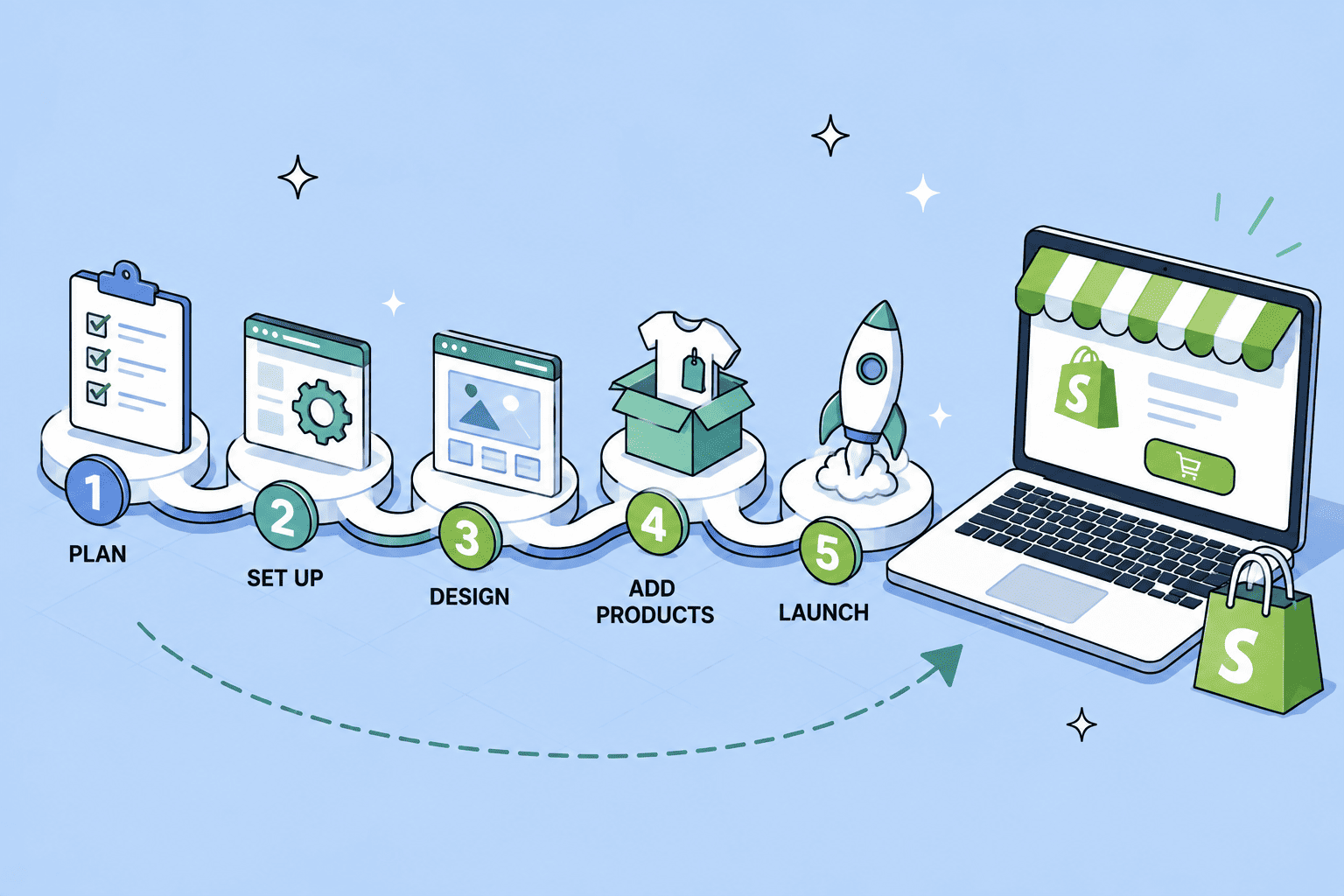
    Getting your first store live is more straightforward than most people expect. Here’s the basic path:

    • Sign up and pick a plan.

    Start with the free trial so you can explore without committing. Beginners usually start on Basic; the Starter plan works if you just want to sell through social links.

    Create store with Shopify
    • Choose and customize a theme. Pick a theme that suits your products, then add your logo, colors, and branding with the drag-and-drop editor.
    edit Shopify online storefront
    • Add your products. Upload photos, write descriptions, set prices, and organize everything into collections.
    add products in Shopify admin
    • Set up payments, checkout, shipping, and domains. Turn on Shopify Payments, set up your checkout page, shipping rates, and domain, and run a test order.
    set up payments in Shopify
    • Launch and start marketing. Connect your sales channels, then drive traffic through SEO, social media, email, and ads.

    Final thoughts: Getting started

    Shopify is, at its heart, a way to turn an idea into a real online business without the technical headaches. It handles the complicated parts of ecommerce so you can focus on what matters: finding products people want and getting them in front of customers.

    The best way to find out if it’s right for you is to try it. Shopify offers a free trial, so you can build out a sample store, explore the dashboard, and get a feel for the platform before committing to a paid plan. Start small, learn as you go, and scale up when you’re ready.

    Frequently asked questions

    1. Is Shopify good for beginners? Yes. Shopify is built so that people with no technical background can launch a store using drag-and-drop themes and AI tools, and you can accept payments immediately with its built-in processor.
    2. Is Shopify free? No, but it offers a free trial, and new users can typically run their store for just $1/month for the first three months. After that, you choose a paid plan starting at $5/month.
    3. How much does a Shopify store really cost? The plan itself starts at $5–$39/month for most beginners, but factoring in apps, a domain, and payment processing fees, most small stores spend roughly $50–$300/month in total.

    Prices and plan details mentioned here reflect 2026 US pricing and may vary by region. Always check Shopify’s official pricing page for the latest figures before signing up. Company and sales figures are drawn from Shopify’s published reports.

  • Hello world!

    Hi, I’m Lauren. And this is the little corner where I’m going to talk about eCommerce, trying to make it feel a bit less complicated.

    This is a personal project, which means I get to write about what genuinely interests me rather than whatever’s trending.

    Some posts will be beginner basics.

    Others will dig into the small details that quietly make a big difference. All of them will aim for the same thing: helping you spend less time wrestling with tools and more time actually growing what you’re building.

    So have a look around, and if something here saves you a headache, that’s a good day’s work for both of us.

    More soon, Lauren.